Simulation Game Dentist
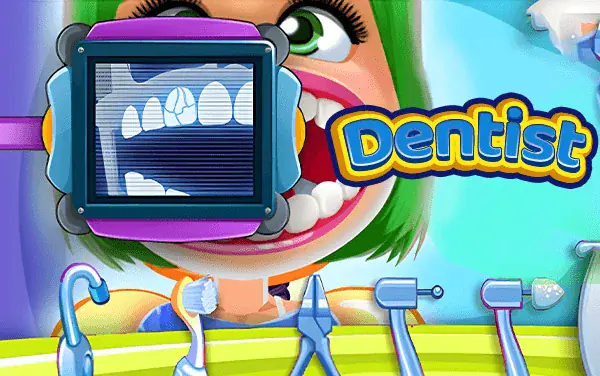
Inspect each patient's mouth, choose the appropriate dental tool, and clean or repair every problem in the correct sequence.
Stamina
42%
Mental
55%
Reflex
18%
Luck
6%
Healing
76%
Social
22%
Game Guide & Walkthrough
Check your DNA Match for this game →
Every game has a unique gene. Want to know why this game attracts you? Click [DNA Insight] to find out.
Dentist breaks a visit to the dental chair into clear, hands-on treatment steps. A patient may arrive with several visible issues at once, such as surface stains, debris, or teeth that need focused care. The first job is diagnosis: inspect the mouth and choose an instrument whose purpose matches what you can actually see. Tools are not interchangeable decorations. Cleaning instruments remove surface problems, while treatment tools must be aimed at the correct tooth or marked area. Progress, visual changes, and on-screen prompts show whether the current action is working. A visit can involve several procedures, so clearing the most obvious problem is not always the end; check the less visible corners before completing the patient.
🕹️ Gameplay Logic
Each patient is a self-contained treatment sequence: inspect the mouth, identify one problem, select the matching instrument, use it on the correct location, and then look for the next task. Choosing the wrong tool usually does not advance the procedure, and moving away from the affected area makes an otherwise correct action ineffective. The challenge is not speed. It is learning the relationship between tool icons and visible symptoms, then breaking a busy mouth into manageable jobs. As treatment progresses, the teeth visibly change; that change is both a reward and a clue about what still needs attention. The appointment finishes only after every required issue has been handled.
🎮 How to Play
- Inspect the whole mouth first and distinguish stains, debris, and teeth that need focused treatment.
- Click an instrument on the tray with the mouse, or tap it on a touch device.
- Hold or drag the selected tool over the affected area and follow the highlighted region steadily instead of sweeping across unrelated teeth.
- Watch for progress, color changes, or a completion mark. If nothing responds, reconsider the tool and target.
- After one procedure finishes, inspect again and continue until no required problems remain.
🏆 Pro Tips
- Do not click through the tray from left to right. Read the symptom first, then compare the tool shape and prompt; this removes most wasted actions.
- For a broad stain, move slowly with overlapping passes. A fast swipe often leaves a thin edge that looks finished but prevents the next step.
- Solve one type of problem at a time. Constant tool switching interrupts diagnosis and makes it hard to see which location lacks progress.
- After the front surfaces look clean, inspect gaps and the edge of the mouth, where small missed areas are easy to overlook.
- If a correct tool produces no change, improve its alignment with the target before assuming the game has stopped responding.
🧬 Game DNA Analysis
Healing 76: the before-and-after change from a troubled mouth to clean teeth provides strong visual satisfaction.
Mental 55: players must identify symptoms and understand the purpose of each instrument.
Stamina 42: patients with several procedures require patience.
Common Questions (FAQ)
Similar Games
View All







🎮 You May Also Like
Curated premium games for your next session